
Install from a named channel
Use wps.com/download or the Store, Play, or App Store IDs below. Skip search ads that already include a setup button.
Independent handbook · 2026
Writer, Spreadsheets, Presentation, and PDF ship in one Kingsoft installer. This handbook maps official store listings, shows how the four apps look after install, and records what stays free.
This site is an independent handbook and is not affiliated with Kingsoft Office Software Corporation Limited.
Desktop apps in one installer
Platforms from Windows to the web
Unofficial setup files hosted here
Independent notes, not the vendor site
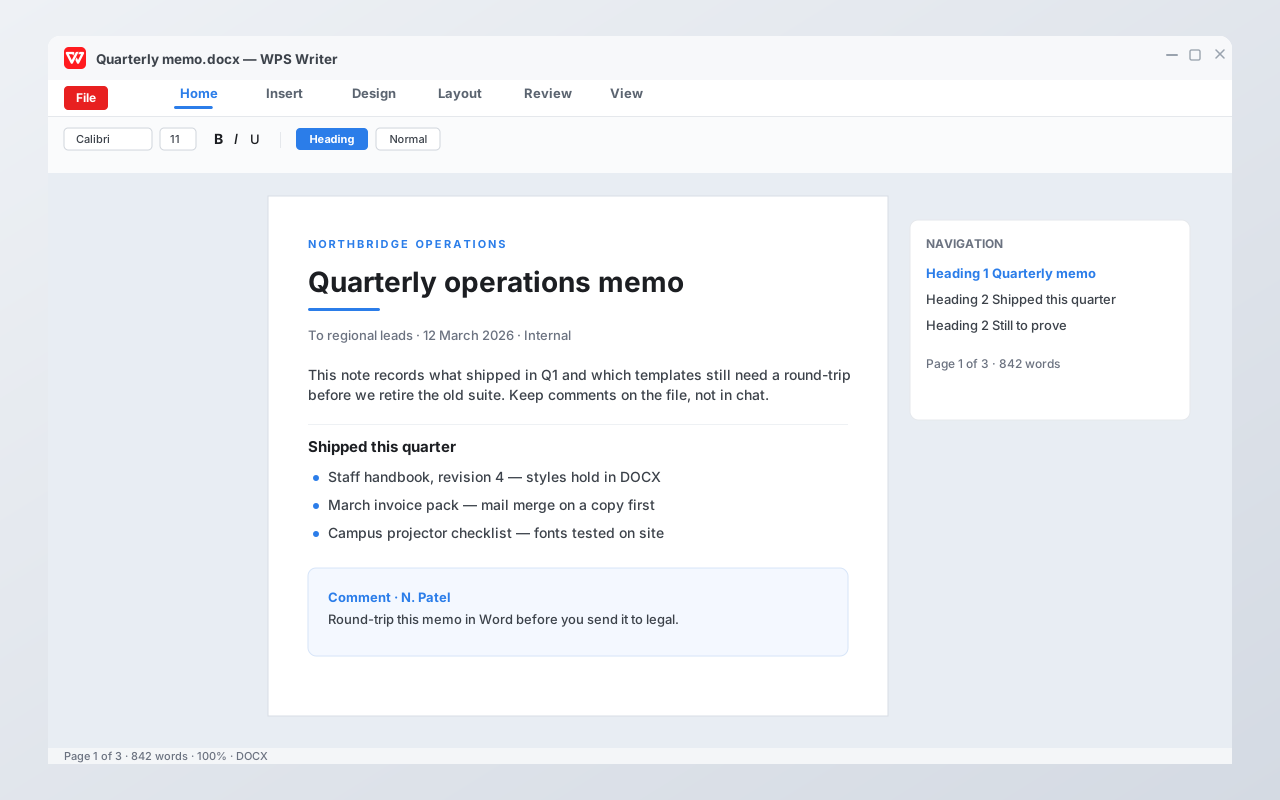
Desktop WPS opens Writer, Spreadsheets, Presentation, and a PDF toolkit from one Kingsoft package. The pictures below are interface illustrations of that suite, not a live vendor screenshot.
 DOCXWPS WriterDraft letters, reports, and mail merge in Word format. Styles and comments are the daily path.
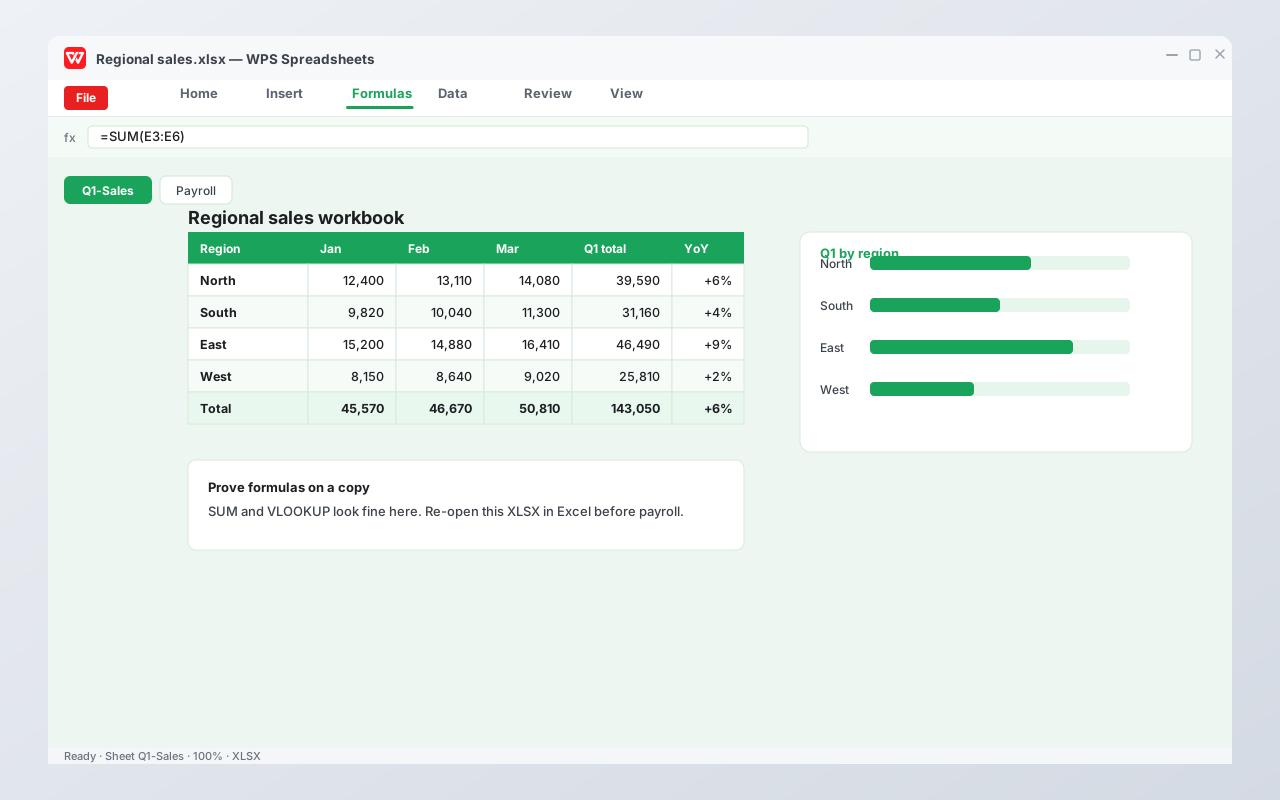
 XLSXWPS SpreadsheetsOpen payroll and gradebooks in Excel format. Prove SUM and VLOOKUP on a copy before payroll.
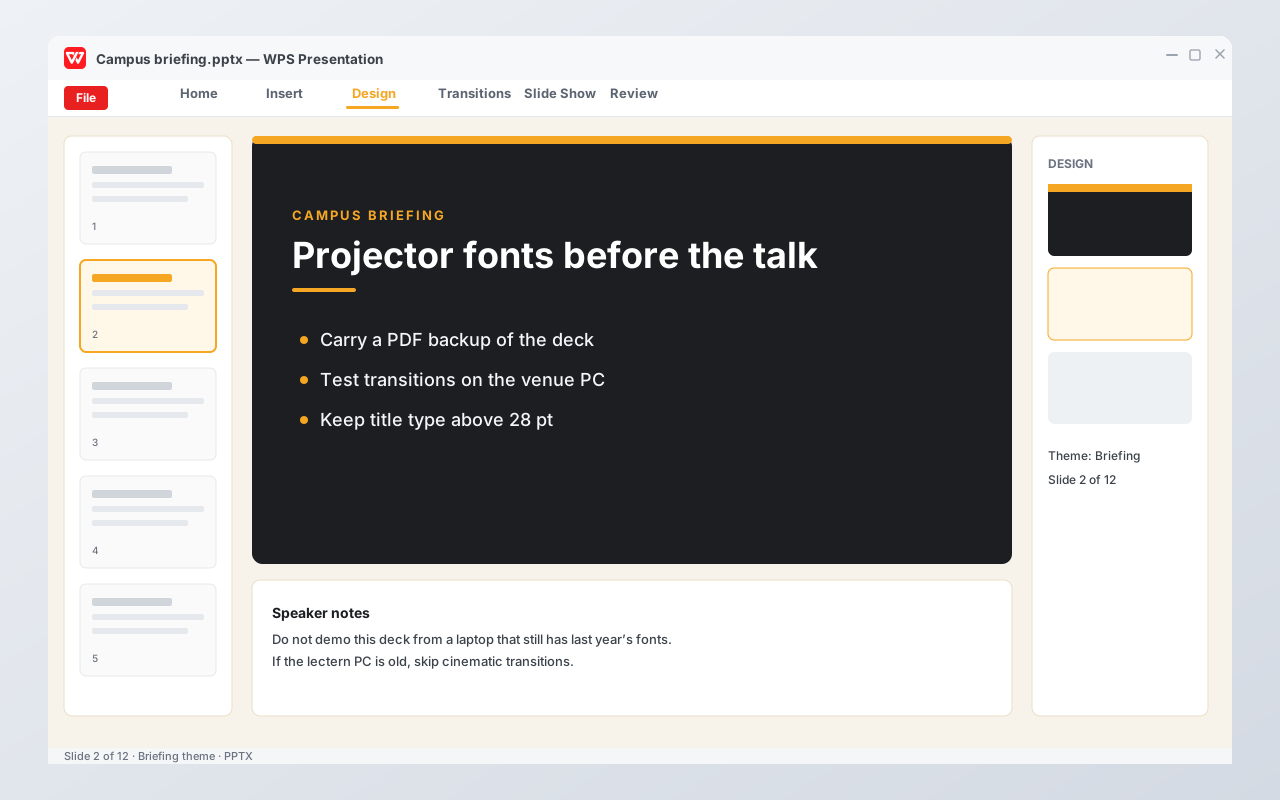
 PPTXWPS PresentationBuild class and shop decks in PowerPoint format. Test fonts and transitions on the real projector.
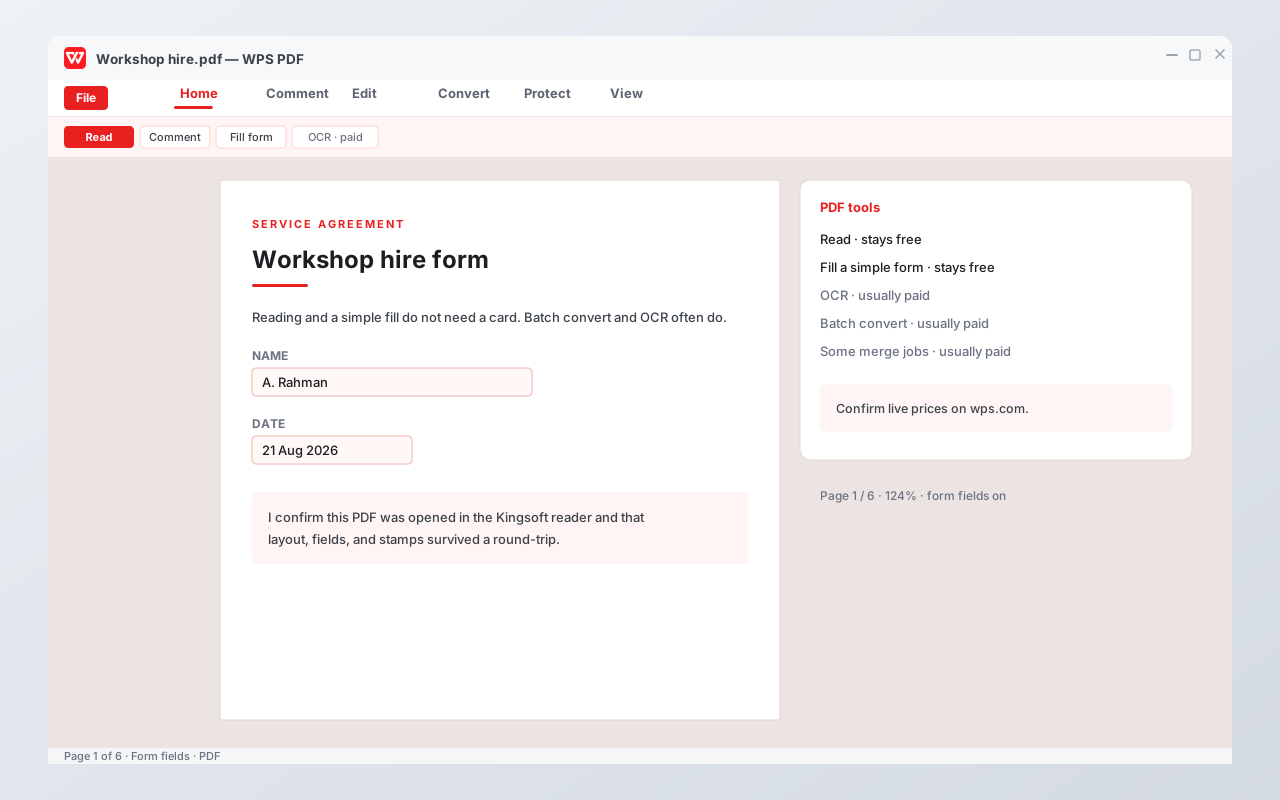
 PDFWPS PDFRead and fill simple forms without a card. OCR and batch convert often need a paid plan.
WPS is a proprietary office suite from Kingsoft Office Software Corporation Limited. On Windows, macOS, and Linux, one installer typically unlocks Writer, Spreadsheets, Presentation, and a PDF toolkit. Phone builds put the same formats in your pocket. The web client exists, but the desktop package is still the product most people mean when they search WPS.
The selling point is Microsoft-format gravity: DOCX, XLSX, and PPTX are first-class, not export afterthoughts. That is why students, teachers, and small shops try WPS when a Microsoft 365 seat feels expensive. It is also why a compatibility test on a real file matters more than a feature list.
WPS can sit beside Microsoft 365 on the same PC. That is normal. What is not normal is letting a leftover Store stub steal every DOCX double-click, or treating a native WPS save as something a Word user can open without friction. Save As DOCX, XLSX, or PPTX when you share.
This handbook is not the vendor site. We map official download channels, name paid walls, and record the failures people actually search. Account recovery and billing stay on wps.com.
Do not stack three random EXEs while you think. Use one official channel, then prove the files you cannot afford to break.
Use wps.com/download or the Store, Play, or App Store IDs below. Skip search ads that already include a setup button.
Local documents do not need a Kingsoft login. Create an account only for phone–PC sync or Cloud versions. Sign out on shared machines.
Open a DOCX, XLSX, or PPTX you cannot lose, Save As the same format in WPS, then reopen that copy in Microsoft 365 or LibreOffice.
These are the everyday tasks people mean when they search for a free office suite. Each one has a longer handbook page if the file starts to lie.
Kingsoft lists dozens of extensions. The ones that matter on disk are below. Older binaries still appear in email archives; open them, then Save As the modern format before you build a week of work on top.
| Format | What WPS usually does | What you should still test |
|---|---|---|
| DOCX | Open, edit, Save As, comments | Fonts, nested numbering, tracked changes in print |
| XLSX | Open, formulas, charts, CSV export | Nested IFS, dynamic arrays, pivot-like jobs |
| PPTX | Open, present, export PDF | Agency masters, embedded video, projector fonts |
| Read, highlight, fill a simple form | OCR, batch convert, merge jobs | |
| DOC, XLS, PPT | Usually opens the old binary | Save As DOCX, XLSX, or PPTX before you continue |
| CSV | Import a table | Encodings: names can become question marks |
Open the full compatibility checklist · Round-trip a real file
Identifiers below come from the vendor site and the store listings. Confirm the publisher is Kingsoft Office Software Corporation Limited before you install.
| Official channel | Store identifier | Use it for |
|---|---|---|
| wps.com/download | Download center | Windows, Mac, mobile buttons |
| Linux product page | Deb / RPM | Ubuntu, Mint, RPM distros |
| Microsoft Store | 9NSGM705MQWC | Managed Windows installs |
| Google Play | cn.wps.moffice_eng | Android |
| App Store | id1491101673 | iPhone and iPad |
If two Microsoft Store tiles appear, the extra EXE listing XP8M1ZJCZ99QJW is known. Read the Kingsoft publisher line either way.
Prices and quotas move. Confirm live Kingsoft numbers on wps.com. The pattern below is what this handbook will keep naming.
| Task in WPS | Typical free path | Typical paid wall |
|---|---|---|
| Documents, sheets, slides | Type and Save As DOCX, XLSX, or PPTX | Ads in the chrome on free skins |
| Read and fill a simple form | OCR, batch convert, some merge jobs | |
| WPS Cloud | Local files need no Kingsoft login | Extra quota; marketing often cites about 1 GB free versus about 20 GB paid |
| WPS AI | Some prompts on current WPS builds | Daily quotas on paid WPS plans |
Fonts, nested numbering, VBA macros, and unusual slide transitions are the usual surprises. WPS is the home editor. It is not a stealth Microsoft 365 license.
Open a file you cannot afford to lose. Save As the same format in WPS. Open that copy in Microsoft 365 or LibreOffice. Compare page breaks, charts, comments, and projector fonts before you retire the old suite.
The same formats travel. The install path does not. Pick the channel that matches the device, then keep using that channel for updates.
The installer is not finished until file types, backups, and ads are under your control. None of this requires a Kingsoft account.
Set the default save to DOCX, XLSX, or PPTX if you share with Word, Excel, or PowerPoint users. Native WPS formats are a private language.
After install, confirm which app opens DOCX, XLSX, PPTX, and PDF. A leftover Store stub can steal double-clicks. See the file associations guide.
Find the backup and cache folders before a crash. Small C: drives fill with cache. The recover-files guide names the usual places.
Marketing toggles exist in the real build. An “ad-free 2026” EXE is malware weather. Pay Kingsoft or live with banners.
A free suite is not a stealth Microsoft 365 license. Keep the other program for the file you cannot afford to break.
Macro-enabled workbooks, corporate templates, and SharePoint libraries still belong in Microsoft 365. WPS is the home editor.
If page breaks are the contract, round-trip in Word or send PDF as the snapshot. Comments can look complete until you print.
Reading a PDF is free. Scanning a stack every Friday is usually a Premium wall. Dedicated OCR or Adobe may be cheaper honesty.
A campus Microsoft seat you already paid for is cheaper than discovering VBA on the night of the deadline. See compare suites.
Each link is a maintained WPS handbook page.
If you already live in Microsoft 365 at work, you may only need the PDF and phone notes.
WPS menus move. These answers name the pattern, then link into the rest of the handbook.